> For the complete documentation index, see [llms.txt](https://help.santesuite.org/llms.txt). Markdown versions of documentation pages are available by appending `.md` to page URLs; this page is available as [Markdown](https://help.santesuite.org/user-guides-and-training/santeemr/conditions-and-status-observations.md).
# Conditions & Status Observations
{% hint style="info" %}
This document describes functionality introduced after SanteEMR 3.0.2035
{% endhint %}
## Patient Conditions and Status
SanteDB's reference [information model](/santedb/data-and-information-architecture/conceptual-data-model/acts.md) defines several types of observations that can be made about a patient, based on their data type:
* **Coded Observations:** Where the value is a coded concept drawn from a concept set
* **Text Observations:** Where the value is a free-text string
* **Quantity Observations:** Where the value is a combination of a decimal number and optionally a unit of measure
* **Date Observations:** Where the value is a date and optionally a time
### Status Observations
The SanteDB CDR does not limit or restrict the type of observed values which may be stored in any of these forms nor does it limit the number of each individual type of observation which can be made. For example, weights, heights, temperatures, etc.
Clinically, however, there are some observation types which represent a "state" of a patient. For example, a patient's `Pregnancy Status` may be observed multiple times, however the patient themselves may only have one active `Pregnancy Status` at a time.
SanteEMR introduces a business rule whereby only one of a active status observation may be attached to a patient profile, and any recordation of a new status observation of the same type will replace the existing active status observation (the historical status observations are preserved, merely marked inactive).
This is controlled via the concept set `PatientStatusObservationType` . Whenever SanteEMR encounters an observation with a `TypeConcept` which is contained in this concept set - it will ensure that only the most recent observation made is listed in the patient's status panel on the profile page.
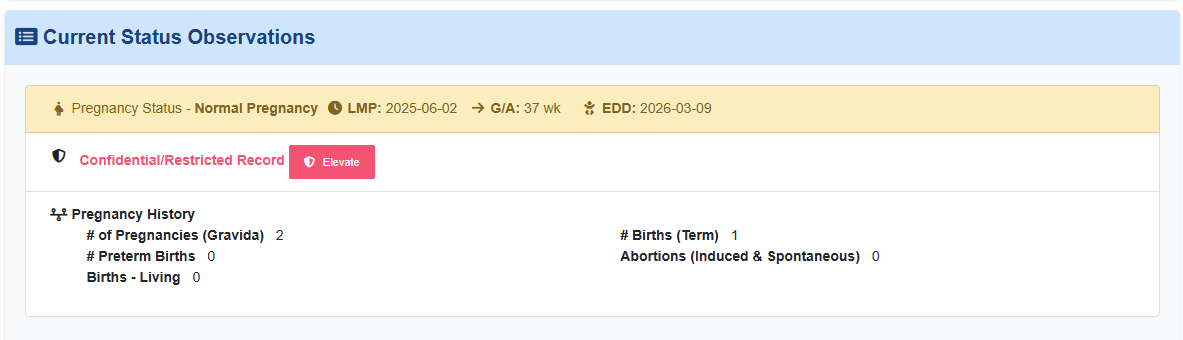
For example, pregnancy status and pregnancy history defined in the status concept set:
Will result in only one of these observations being shown in the current status panel. Any subsequent recordation of either pregnancy history or pregnancy status, effectively replaces the current value with the newly observed value.
### Condition Observations
A patient's profile may additionally have one or more active conditions. In SanteEMR a condition is an observation which triggers an active medical concern which may (or may not) be resolved at a later time. Examples of conditions include:
* HIV Status of Active
* An Active Pregnancy
* An Allergy or Interolerance
* A Cognitive Disability
Conditions observations are more specific than a status observation in that the condition is not only contigent on the type of observation, but also its value.
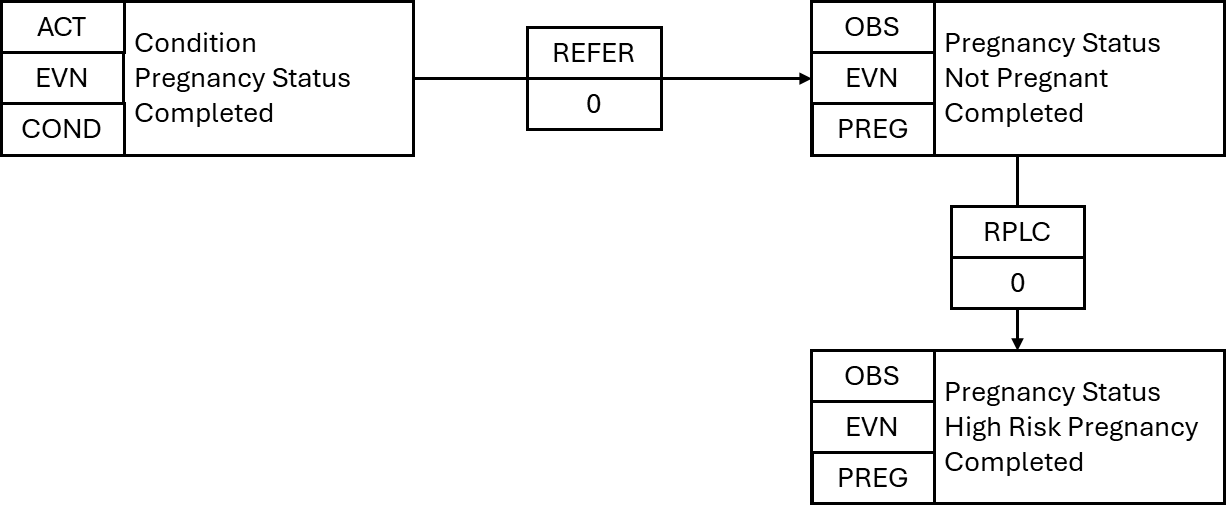
For example, a condition with type `PregnancyStatus` and value of `NotPregnant` should not indicate the patient has an active medical concern related to being pregnant. The SanteEMR plugin includes logic which, whenever an observation having a type concept and a value trigger matches, a new `Act` of type `Condition` is created. The RIM structure for this is illustrated below, where a pregnancy status of `HighRisk` has been observed
If at a later time, a pregnancy status of `NotPregnant` is observed, the condition is automatically resolved and removed from the patient status panel, while the status observation remains present.
Conditions and whether they are active are controlled by one of three criteria:
1. The `typeConcept` of the observation is a member of the concept set `PatientConditionTrigger` and the `valueConcept` of the observation is a member of the concept set `ConditionIndicatorConcepts` (i.e. the observation is a condition and the value is a positive indication the patient has the condition), and
2. If the observation has a `HasComponent` of type `ObservationType-ConditionClinicalStatus` the value of that observation implies the status is active (i.e. not resolved) , and
3. If the observation has a `HasComponent` of type `ObservationType-DateOfResolution` it is `isNegated` (i.e. has not been resolved) - if the `isNegated` is false, then the condition is not active.
When these criteria are fulfilled, the condition is created by the CDR in state active. If the criteria fails to be met on subsequent observed values, then the condition is resolved.
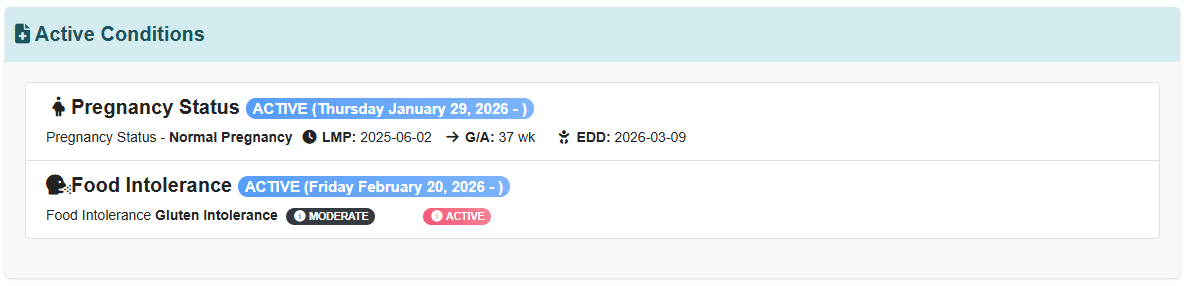
All conditions are shown in the active conditions panel of the EMR interface